Gtec
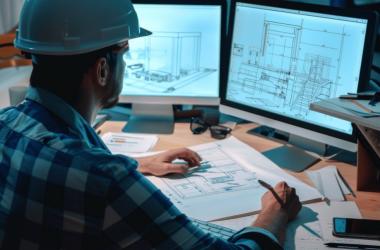
Gtec education course thumbnail

G-ENGINEER (CIVIL)

Course category: Diploma Courses

Course Duration: 7

OBJECTIVE: -

An exclusive, matchless master course pivoted for civil engineering solutions. Designed & developed comprehensively for triggering the unexploded arena of civil engineering horizon, an outstanding unique approach were all impossible.

COURSE DURATION

Normal : 7 Months (Hours:504)

Manual Drawing Basics
  • Concept of Engineering Drawing
  • Drawing instruments and their uses
  • Type of lines and their applications
  • Introduction to drawing instruments
  • Planning and layout of drawing sheet
  • Lines and lettering
  • Dimensioning
  • Scales
  • Theory of projections
  • Isometric views
  • Perspective drawing
AutoCAD 2D & 3D
  • Concepts of Engineering drawing
  • About the soft tool
  • Designing concepts
  • Drawing simple sketches (Line, Arc, Circle, Ellipse, Polygon etc..)
  • Drawing settings
  • Creating Texts, adding Annotations and Dimensions to your drawings
  • Working with Blocks and Attributes
  • Designing of multistoried buildings
  • Editing tools
  • Linking, sharing and exporting
  • Printing and plotting
  • Designing tips and tracks
Photoshop
  • Concepts of images and types of formats
  • Selection methods
  • Creating and editing the images
  • Removal of unwanted things
  • Selective color change
  • Changing image orientation
  • Painting
  • Applying special effects
  • Sharpening and softening
  • Slicing images
  • Color adjustment
  • Exchanging images
  • Printing
Google SketchUp
  • Introduction to Sketch Up
  • Understanding How Sketch Up Works
  • Working With Circles and Arcs
  • The Section Tool
  • Textures and Materials
  • Importing into Sketch Up from CAD
  • Complete Real World Model
  • Working with Text and Dimensions
  • Setting up Slide shows and creating walkthrough (fly by or walk through)
  • Complete movie of real world model and show to class
3Ds Max
  • Concept of 3D Modeling
  • Standard primitives
  • Extended primitives
  • Customizing the units
  • Basics of modeling
  • Simple set modeling- Furniture
  • Advanced set modeling-buildings
  • Materials and Maps
  • Basics of texturing
  • Environment effects
  • Basics of Animation
  • Reactors
  • Camera walks through
  • Landscaping
V- Ray
  • Introduction to VRay
  • Global Illumination in VRay
  • Image Sampling
  • VRay Lights
  • VRay Camera
  • VRay Materials
  • Rendering Test Scenes
Adobe Premiere
  • Introduction to post production
  • Concepts of editing & Compositing
  • Concepts of film making
  • Capturing techniques
  • Basics of cutting and editing
  • Adding visual effects
  • Video transitions
  • Working with audio
  • Exporting the video
MS Project
  • PPM concepts
  • Project
  • Activity
  • Calendar
  • Resource and Role
  • Work product and Documents
  • Currency
  • Reports

G-TEC Courses